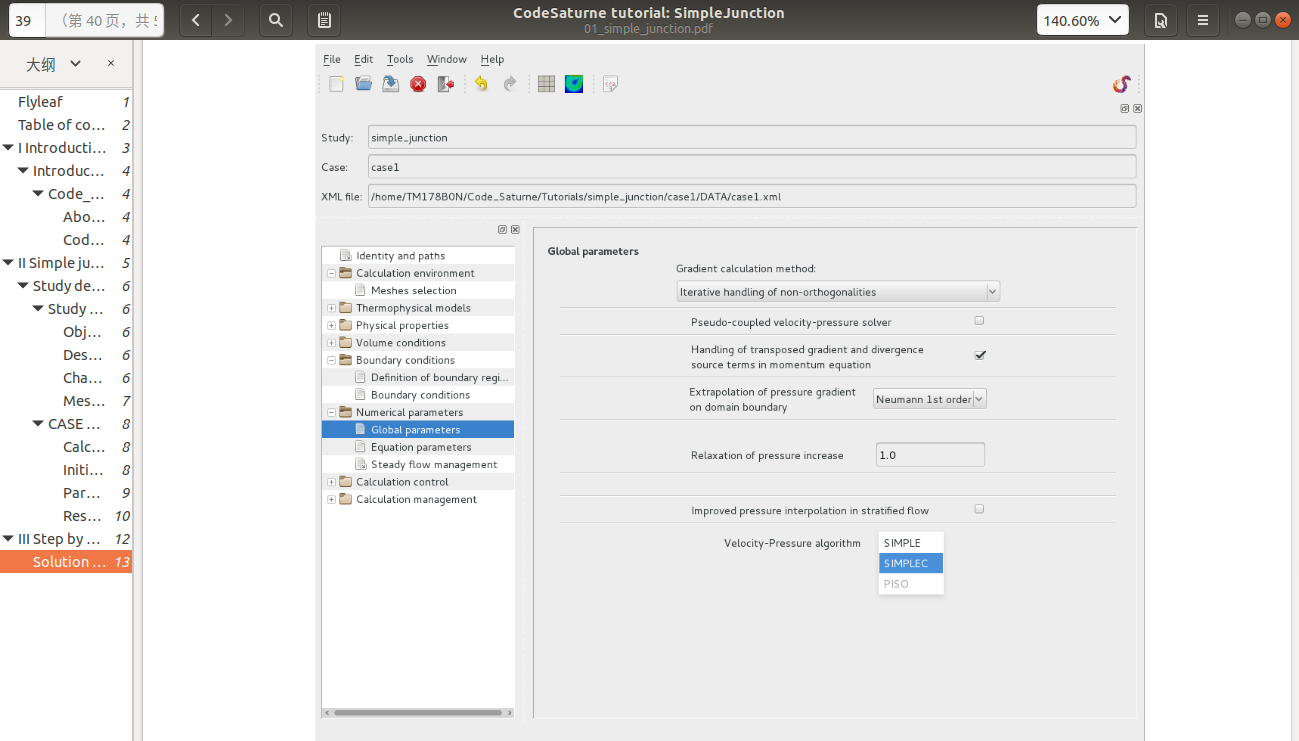
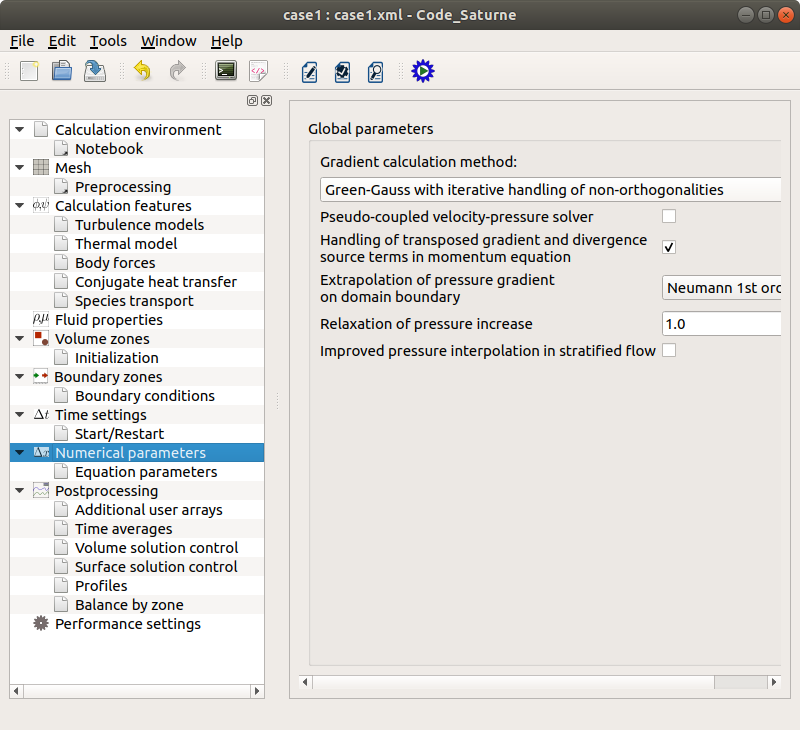
I follow the PDF tutorial "code Saturn version 5.0 tutorial:Simple junction “to practice, but I encountered a little trouble when I went to this step. The tutorial let me choose “SIMPLE” algorithm in the” Velocity_Pressure algorithm "option.
The GUI has been slightly reorganized, and the option you are looking for is now under time stepping.
Still, for a tutorial, it is better to try to follow the presentation order of the GUI rather than try to do things exactly in the same way.
I am reopening this topic but this time with the code_saturne v7 software (and current v6 simple junction tutorial).
The problem is located at the Time Settings tutorial stage. There is no Steady (constant relaxation coefficient) option available thus I cannot choose SIMPLE algorithm. Does anybody have an idea why this time step option is now unavailable in this new code saturne version ?
This option was not very stable in most cases, so is deprecated (it is still available without the GUI, but will probably be removed in a future version).
You can simply choose “pseudo-steady” instead. And yes, we need to update the tutorials…
How and where do we select the Pseudo Steady option ? I can’t find this option or an equivalent even in the practical user’s guide.
Do you know where I can I find such option ?
Thank you for your reply. As mentioned above I do work with code_Saturne V7 and tutorial v6. Unfortunately there is no such option available in the v7 GUI.
You initially mentioned the v5 tutorial. In v7 compared to v6, you do not have the “steady” options but have “steady (local time step)” option available in the same place.