Problem to model solidification of a binary alloy with CDO approach

Hello everyone,

I would like to make a demonstration case of segregation phenomena during the solidification of a binary alloy. To do this, I’m trying to use the CS solidification module with CDO scheme approach (v8.0.2), and I’m facing a problem I don’t understand concerning the gravity consideration.

I joined a simple case to illustrate my problem :

  • A square 0.1*0.1m, 400 elements
  • Activation and input of a binary alloy, with temporary simplification to cancel the Boussinesq term (Beta_T = Beta_C = 0)
  • Adiabatic condition everywhere
  • A uniform initial temperature above the melting temperature, so a full liquid domain

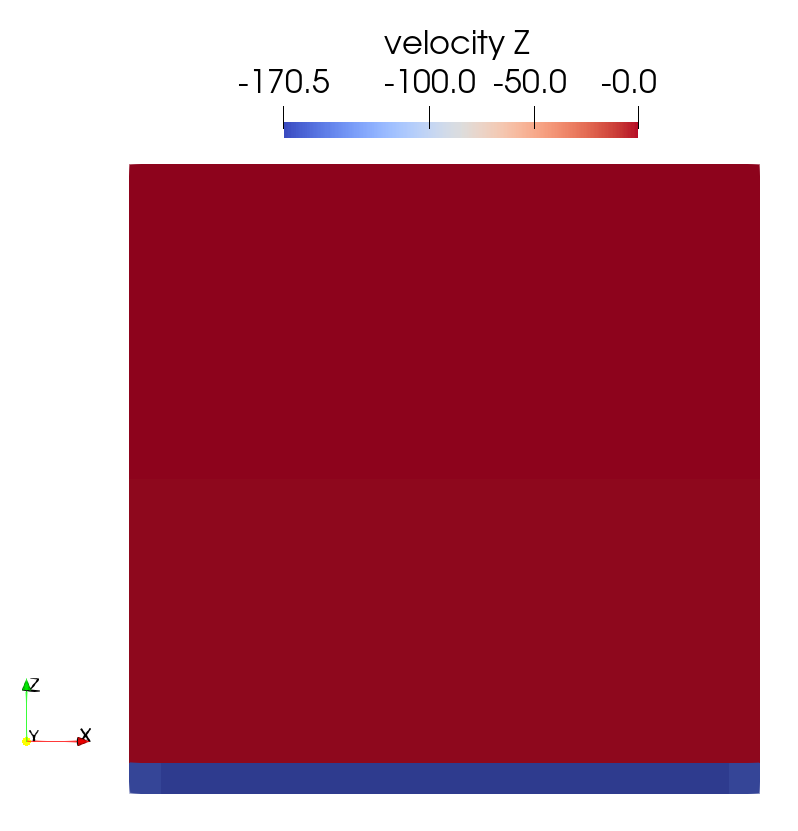
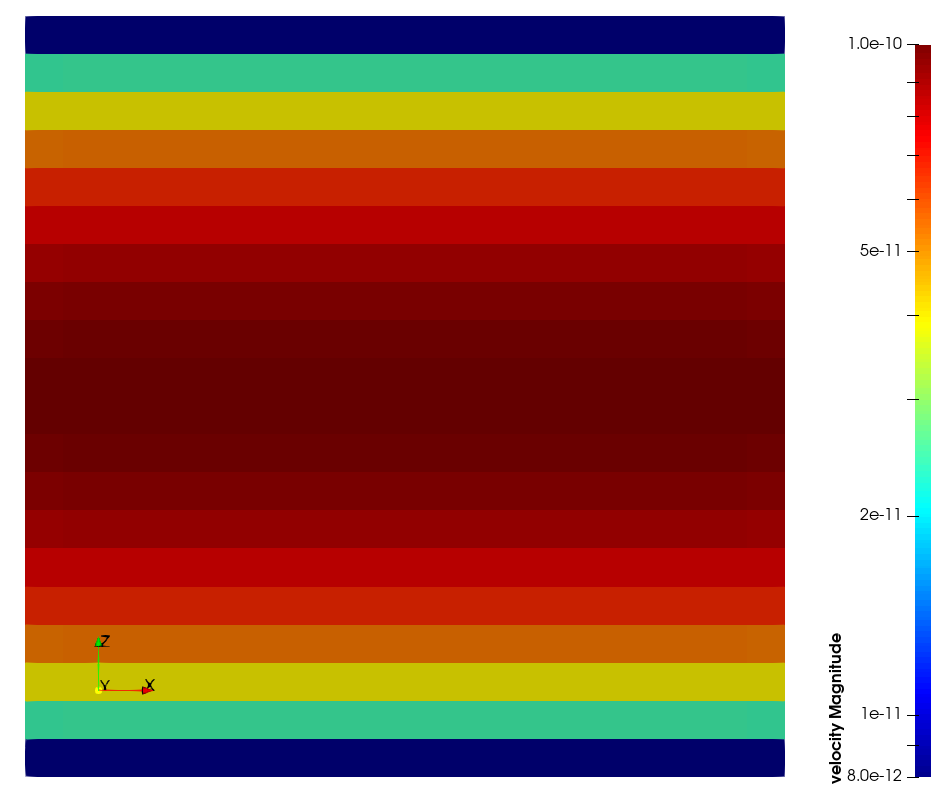
With such conditions, I expect nothing to happen. It’s ok without gravity. But with standard gravity, I observe velocity along the gravity direction, with very strong values at the boundary facing this gravity direction, and a continuous warning in the listing file about the Picard algorithm which reaches the max. number of iterations when solving equation “momentum”. There is no pressure, no density variation, so I don’t understand what’s going on. Would there be some opinion or advice?

Thank you for your help,
Best regards,

Matthieu
Mesh_square.med (146 KB)
setup.xml (7.98 KB)
cs_user_parameters-cdo-solidification.c (11.6 KB)

Here are some additional files concerning obtained results (listing file and images of Vz component field).

Best regards,
Matthieu


run_solver.log (72.2 KB)

Hello Matthieu,

This is weird.
It looks like a non-convergence of the solver. The system to solve is a velocity/pressure coupled system (a saddle-point problem) which is difficult to solve in general. That’s why, we usually rely on the MUMPS solver for this kind of system.
In the current case, this should be simpler…
Could you share your setup.log file so I can check your linear algebra settings, please ?

Jérôme.

Hello Jérôme,

Thank you for you answer.

Here is my setup.log file.

Concerning the MUMPS solver, it appears I can’t use it (“cs_user_parameters: MUMPS is not available” if I try a simulation with the linked source file). I have an installed libmumps on my server, but I just checked and code_saturne seems to not see it (“MUMPS support: no” in the install_saturne.log file). Is there a manual manipulation to do in order to use this solver (a link to the concerned library?)?

Best regards,
Matthieu
cs_user_parameters-cdo-solidification_mumps.c (12.4 KB)
setup.log (40 KB)

Thank you for the additional information.

Regarding MUMPS, you have to add “–with-mumps=/path/to/your/mumps/install” at the “configure” step.
If the usage of the “–with-mumps” tag gives the same result, you have to check your config.log file to figure out what is wrong.

Best regards,
Jérôme.

Hello Jérôme,

Thank you for your answer.

It’s ok concerning access to MUMPS library and solver. I tried to use it, but temperature is diverging in my test (cf. joined files).

Regarding “classical” solvers available in CS, is there a better option than the used GCR solver for velocity? I’m not so familiar with that.

Best regards,
Matthieu
run_solver_mumps.log (18.1 KB)
setup_mumps.log (39.9 KB)
cs_user_parameters-cdo-solidification_mumps.c (12.4 KB)

Hello Matthieu,

I think there are two problems:

  1. Your boundaries are defined twice. Since CDO schemes are not fully available from the GUI, some steps should be done only with user source files. This is not a satisfactory situation…

  2. MUMPS as a solver for the full system is not robust since the system is singular (the pressure is defined up to a constant). The resolution can fail or can be very weird. A better choice to solve the coupled system is to consider an Augmented Lagrangian - Uzawa (ALU) algorithm.

You need to adapt your settings with

cs_navsto_param_set(nsp, CS_NSKEY_SLES_STRATEGY, “alu”);

Here is the setup I used with a slight modification of your original settings (I used your mesh file). It looks better now.
Solid-JB.tgz (16.8 KB)

Hello Jérôme,

Thank you very much for your help.

I’ll try these modified settings in some configurations, and will give you feedback if you’re interested.

Best regards,
Matthieu

Hello,

I carried out some tests based on the previous cs_user_parameters file (with gravity, but no physics about solidification at this time), here are some reports :

=> With the 2D square 0.1m*0.1m case previously described, simulations seems to make sense (negligible velocity), but I noticed a very (very) strong increase of time simulation and used memory with mesh refinement. For example, with a structured mesh of 250k elements, the joined performance.log file talks about 10.5Go of used memory, and a total CPU time of 174382s for 100 iterations (the simulation ran with 4 MPI ranks and 2 OpenMP threads), which sounds huge for this kind of mesh… Set the gravity to 0 doesn’t change so much obtained results, except for a slighter MUMPS number of solves concerning velocity (10k vs 15k). Does it make sense with the solidification module / the CDO approach / the use of MUMPS, or do you think there is a problem with these stats?

=> With a similar setup in “industrial dimensions” (2D rectangle 0.65m*2.67m), the simulation is OK with a very coarse mesh (700 elements, dx=0.05m), but there is a non-convergence of the solver with a finer mesh (17k elements, dx=0.01m), similar to what I obtained at the beginning of this topic (cf. joined mesh et setup.log files).

I’m continuing tests on my side, don’t hesitate if you want more information, and of course I’ll be glad if you have any idea.

Best regards,
Matthieu
run_solver_2d_ingot_mesh17k.log (22.7 KB)
Mesh_protoIngot_2d_17355elts.med (4.89 MB)
performance_square2D_mesh250k.log (6.07 KB)

Hello,

I’ll let Jérôme answer most of your questions, as I am the the expert for this part of the code.

Regarding memory use though, direct solvers such as MUMPS usually consume much more memory than iterative solvers (due to the inverse of a sparse matrix often being less sparse), so your results are not surprising. We only use MUMPS when iterative solvers fail or converge very slowly, because it is more robust, but at a cost in memory usage.

Best regards,

Yvan

Hello Yvan,

Thank you for these clarifications, I didn’t think the gap of memory usage between the two approaches would be that wide.

Regarding the convergence of my simulations, I noticed a strong impact of the following parameter :

    cs_navsto_param_set(nsp, CS_NSKEY_GD_SCALE_COEF, "5e3");

which seems to be linked to an augmentation of the linear system. I have to read some advised literature about this (the Milani’s PhD seems to address the subject), but at this time I have no idea to provide a “relevant value” concerning this parameter, I just observed convergence is much better with this coefficient in the range [1000; 5000] rather than 0 or its default value 1.

Best regards,
Matthieu

Hello Matthieu,

As Yvan said, a direct solver has a memory consumption which is much higher than an iterative solver. The reading of your log files is clear : Elapsed time for the full computation = 29791s and elapsed time in solving the NavSto system = 29679s

Moreover, there are some differences in the CDO part w.r.t. the FV part of code_saturne. The Navier-Stokes system to solve is a coupled system (velocity, pressure). The resolution is an Augmented Lagrangian Uzawa (please refer to https://hal.science/hal-04087358/document for more details) which increases the stencil of the discretization with the add of a grad-div contribution.

Since the velocity unknowns are located at faces (all the components), the velocity block which is solved by MUMPS is of size 33n_cells for a 3D Cartesian mesh. In a 3D mesh built from a one-layer extrusion, this is worse 34n_cells. So the system to solve with MUMPS is of size 3M.

To speed-up the calculation (but do not wait for miracles), here are some ideas :
(a) use 1MPI and 8openMP (or 2MPI and 4 openMP) since the scaling of MUMPS is not as good as the scaling of code_saturne
(b) compile MUMPS with optimized BLAS (there many operation relying on BLAS3 and this can bring some improvements)
(c) Optimize the MUMPS options : choice of the renumbering algorithm (this can slow down the analysis step but speed up the factorization step which is the most time consuming) for your kind of grids AMD or QAMD could be better than the default choice, use analysis by block (this is a vector-valued system).

You can specify all available options of MUMPS using the following function

#if defined(HAVE_MUMPS)
/*----------------------------------------------------------------------------*/
/*!
 * \brief Function pointer for advanced user settings of a MUMPS solver.
 *        This function is called two times during the setup stage.
 *        1. Before the analysis step
 *        2. Before the factorization step
 *
 * One can recover the MUMPS step through the "job" member.
 * MUMPS_JOB_ANALYSIS or MUMPS_JOB_FACTORIZATION
 *
 * Note: if the context pointer is non-NULL, it must point to valid data
 * when the selection function is called so that structure should
 * not be temporary (i.e. local);
 *
 * \param[in]      slesp    pointer to the related cs_param_sles_t structure
 * \param[in, out] context  pointer to optional (untyped) value or structure
 * \param[in, out] pmumps   pointer to DMUMPS_STRUC_C or SMUMPS_STRUC_C struct.
 */
/*----------------------------------------------------------------------------*/

void
cs_user_sles_mumps_hook(const cs_param_sles_t   *slesp,
                        void                    *context,
                        void                    *pmumps)
{
  CS_UNUSED(slesp);
  CS_UNUSED(context);

  DMUMPS_STRUC_C  *mumps = pmumps;
  assert(mumps != NULL);

  /* Choose the way numbering is performed inside MUMPS.
   * This option may have a strong effect on the elapsed time
   * 0: AMD
   * 3: Scotch (need a MUMPS library compiled with Scotch)
   * 4: PORD
   * 5: METIS (need a MUMPS library compiled with METIS)
   * 7: automatic choice done by MUMPS
   */

  if (mumps != NULL)
    mumps->ICNTL(7) = 0;
    
    /* Adapt any option from the MUMPS user book following the previous example */
}
#endif  /* HAVE_MUMPS */

One more thing (only possible for 3D mesh with one layer extrusion). It is possible to “remove” from the linear system extruded boundary faces. Here is an example with boundary faces tagged with “Z0” or “Z1” (adapt this example and add it to a cs_user_mesh.c file)

/*----------------------------------------------------------------------------*/
/*!
 * \brief Apply partial modifications to the mesh after the preprocessing
 *        and initial postprocessing mesh building stage.
 *
 * \param[in,out] mesh  pointer to a cs_mesh_t structure
 * \param[in,out] mesh_quantities pointer to a cs_mesh_quantities_t structure
*/
/*----------------------------------------------------------------------------*/

void
cs_user_mesh_modify_partial(cs_mesh_t             *mesh,
                            cs_mesh_quantities_t  *mesh_quantities)
{
  cs_lnum_t   n_faces = 0;
  cs_lnum_t  *face_ids = NULL;

  BFT_MALLOC(face_ids, mesh->n_b_faces, cs_lnum_t);

  cs_selector_get_b_face_list("Z0 or Z1", &n_faces, face_ids);

  cs_preprocess_mesh_selected_b_faces_ignore(mesh,
                                             mesh_quantities,
                                             n_faces,
                                             face_ids);

  BFT_FREE(face_ids);
}

When I apply all these options/techniques, I may achieve a speed-up up to a factor 5 or 6.


For the second question, it seems that the non-linear algorithm (Picard algo.) does not converge. The max. number of iterations is reached.
Could you please send me your settings ?
I think that a first test is to switch to a linearized algorithm and see what happens. It may be useful to reduce the time step for the first iterations. I can adapt your settings to do this.


Best regards,
Jerome
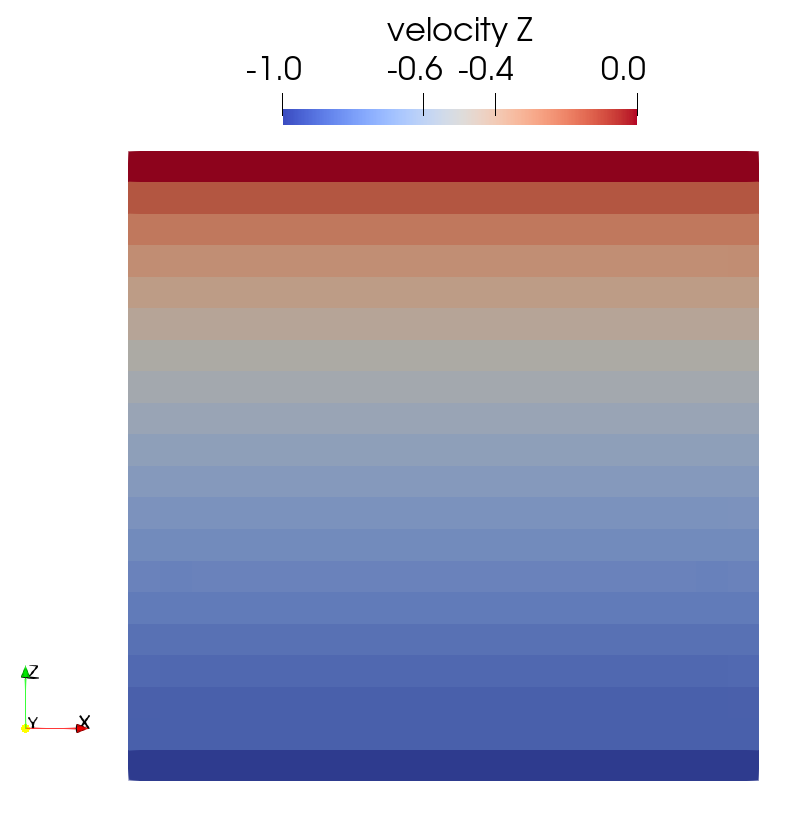
Hello Jérôme,

Thank you for your detailed reply and all these informations. I’ll take the time to read the reference you suggest and to test modifications you propose.

Concerning the diverging simulation, here are the used settings (almost the same the last files you sent me, except for an initial solute concentration), the mesh was previously joined (Mesh_protoIngot_2d_17355elts.med). As I said in my last reply, I noticed a significant improvement of the convergence with “high values” of the augmented parameter (default value is 1) :

cs_navsto_param_set(nsp, CS_NSKEY_GD_SCALE_COEF, "5e3");

But tested values are arbitrary, with no idea to provide a “relevant value” concerning this parameter, and I didn’t test yet with thermal exchange and solidification. As you suggest, I’ll also do tests with a smaller time step, and with a linearized algorithm.

I will give you feedback,
Best regards,
Matthieu
setup.log (38.2 KB)
setup.xml (5.62 KB)
cs_user_parameters-cdo-solidification_mumps.c (13.1 KB)