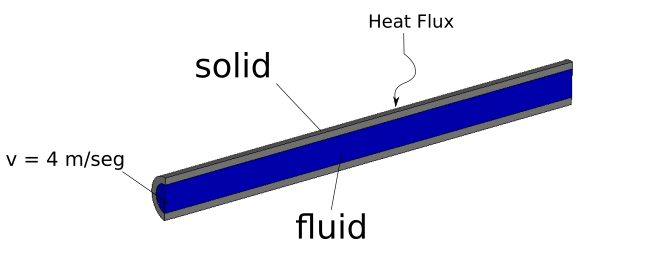
Hello I am trying to run a case of a tube that receives a flow of heat and is cooled by a fluid (a heat exchanger). I attach an image of the case I want to simulate. Reading the user guide (version 7.1), I understand that it can be done in code_saturne with the Internal Fluid-Thermal coupling option. I have followed the steps of the guide but it is not clear to me how to configure the mesh and the border conditions of my model.
I attach the model to see if you can contribute or give me advice
Thank you very much for the help
Excuse my bad English, greetings. TuboM2.unv (9.43 MB) setup.xml (12.6 KB)
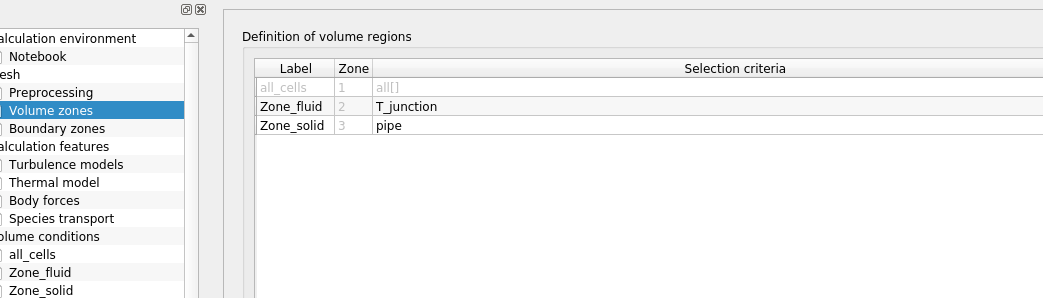
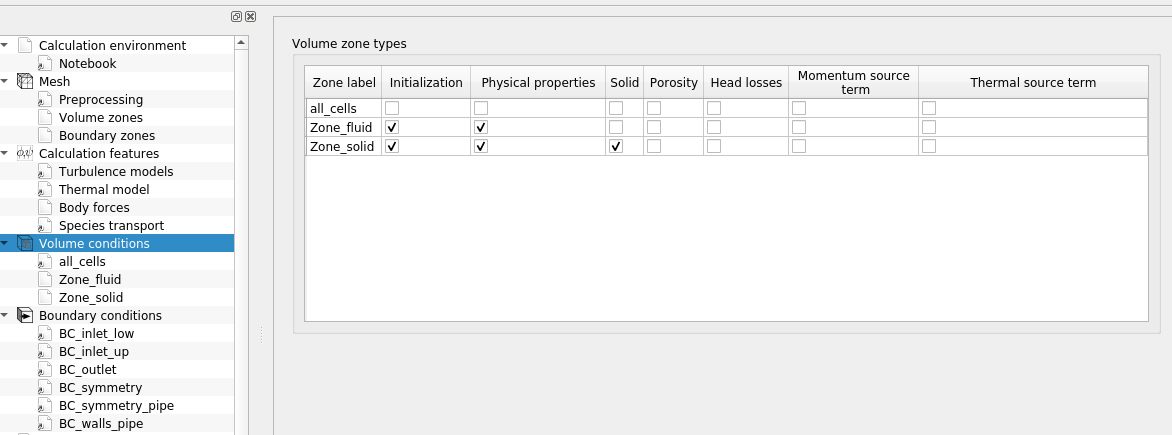
In the code_saturne GUI; you need to define a volume zone based on the “Solid” group selection criterion (based on the groups present in your mesh), and in the “Volume zones” section check the “solid” box for the zone. The internal coupling feature should then be available.
This may be a minor bug. What is usually done is to define the fluid physical properties for the default “all cells” volume zone, and the solid physical properties for the solid zone. In this case, you can “uncheck” the “physical properties” box for the fluid zone, and check the one for “all cells”.
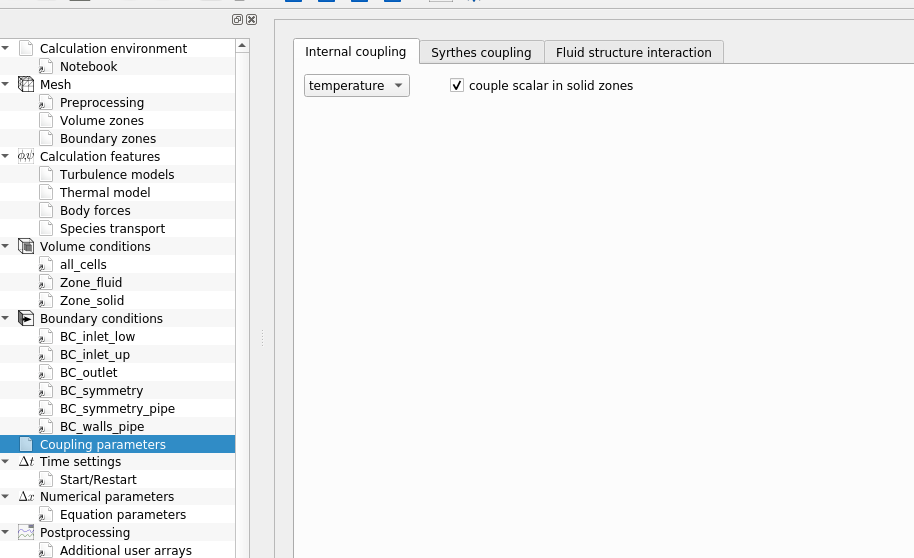
You need to visit the “Coupling Parameters” page, “Internal Coupling” tab, and check “couple scalar in solid zones” for the temperature.
The rest is automatic: the mesh is subdivided automatically along the fluid-solid boundary, and default wall laws are applied.
Default boundary groups are also created (“auto:internal_coupling_0_fluid” and “auto:internal_coupling_0_solid” if I remember correctly, but you can check in the run_solver.log after a first test.) Using those, if necessary, you can define mesh boundary zones to apply additional settings. This is useful for example to indicate surface properties for radiation.
But in the common/simple case, you do not need this.
Finally,
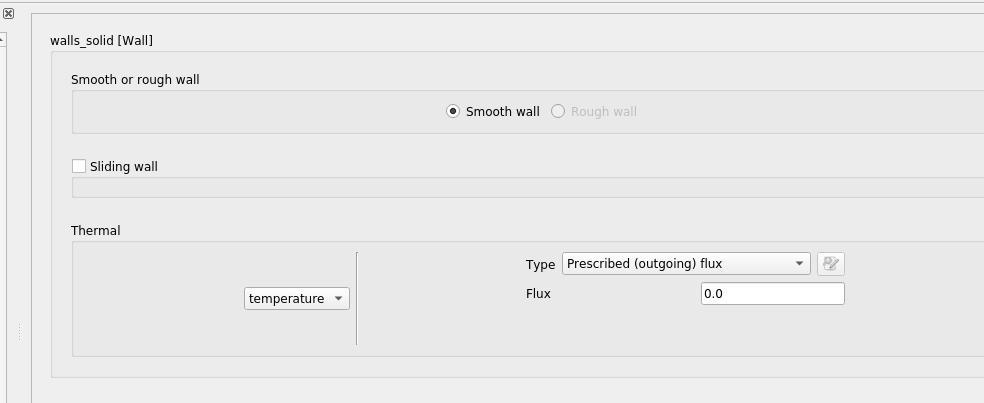
you have nor “rough wall” option because this is related to turbulence modelling, and you are not using a turbulence model.
There is no “true” steady model in code_saturne, but a “pseudo-steady” option which you seem to have activated. There have been other attempts at steady models, but they were less robust (there is actually one in the CDO modeling, but this is not in the GUI yet). The pseudo-steady model provides a steady-state result, not interpretable as a transient, but you may need to use probes in addition to checking residuals to really check for convergence (we do not use automatic convergence criteria, as those are not always reliable when there is even a bit of "jitter’ in the solution).
Well I checked couple scalar in solid zones, but until I used joining faces in mesh tab, there was no heat transfer.
But I have no option rough wall even if I tick turbulence.
Ok but coudn’t I enter some very small value for specific heat capacity to obtain steady state solution faster?
If I try that for solids it works, for fluids it gives nonesence.
You idea of entering a small value for Cp is actually very similar to thev “time step factor” option under “Numerical Parameters/Equation parameters” in the GUI.
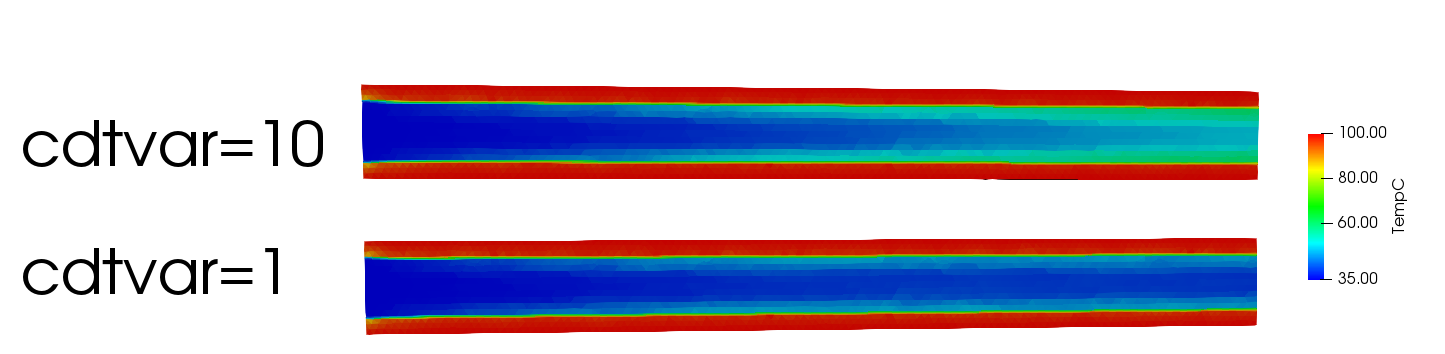
As Yvan mentioned, you can change the time step factor (cdtvar) for the temperature to have similar characteristics times to reach a steady solution in case it exists.
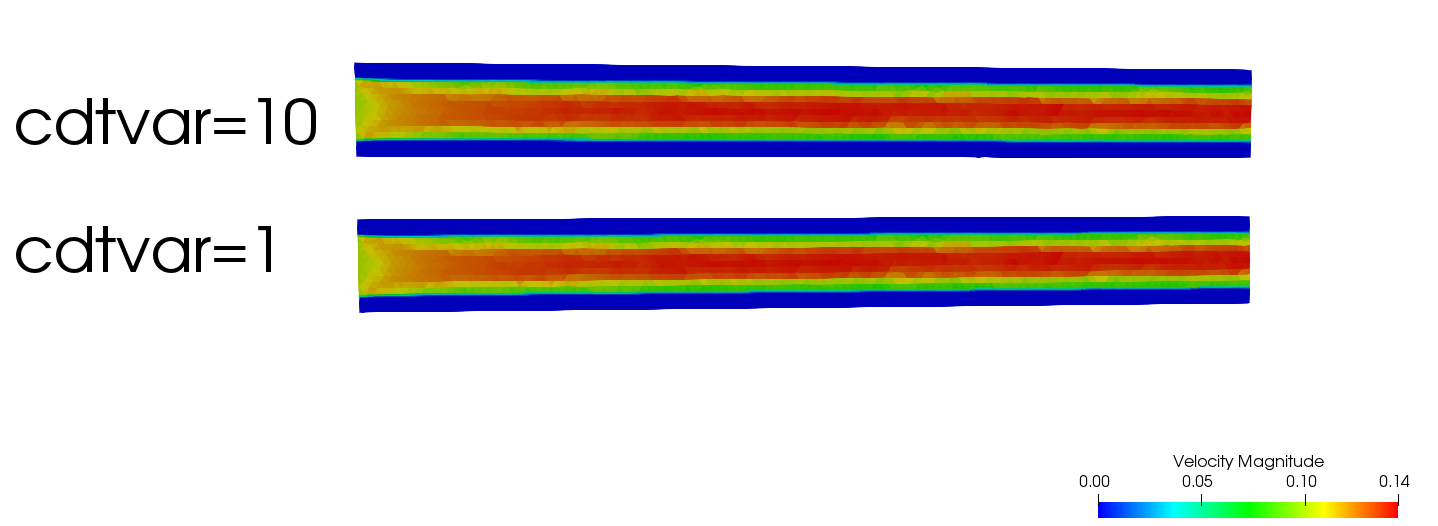
In the following figure, you can see the difference in the temperature field for the same simulation time, while the velocity is the same.
To have rough wall option, you have to set a turbulence model and also a wall function, for default no wall function is used, soy the rough wall option is in gray.
Attached is the case (The mesh correspond to the first post and should be improved). run_solver.log (605 KB) setup.xml (13.1 KB) TuboM2.med (1.79 MB)
Regards,
Luciano